Risk Register
This is for a PM tracking what could go wrong on a project and what’s being done about it. The Risk Register surfaces project risks in a dedicated Risks tab within the project workspace. Each risk is scored by probability × impact, tracked through a lifecycle, and can be linked to the tasks it affects.
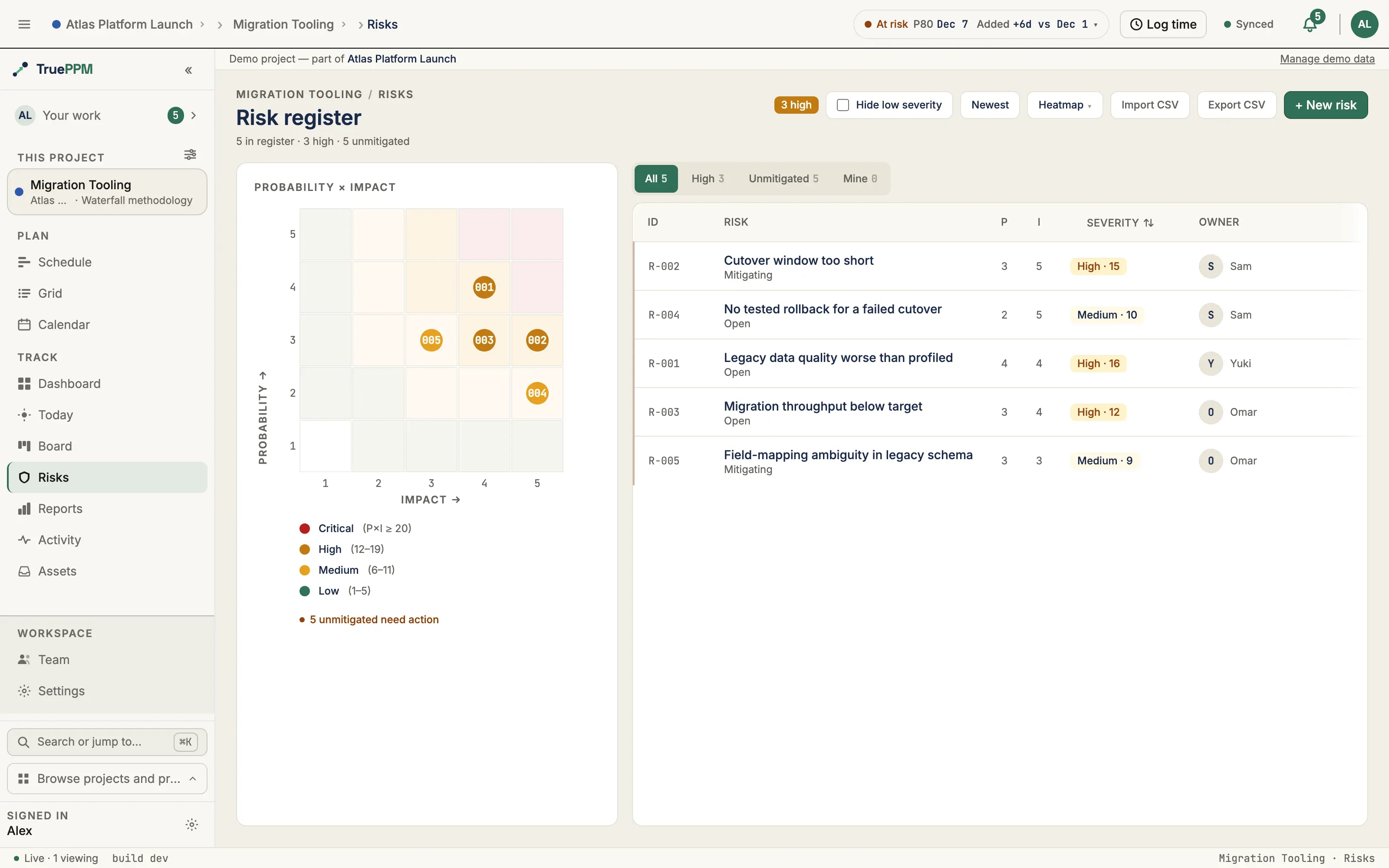
Risk scoring
Section titled “Risk scoring”Severity is probability × impact, computed from two 1–5 integer fields. A 5×5 grid gives scores 1–25 across five bands:
| Score | Band | Color |
|---|---|---|
| 20–25 | CRITICAL | Red |
| 12–19 | HIGH | Amber |
| 6–11 | MEDIUM | Amber (lighter) |
| 2–5 | LOW | Neutral |
| 1 | MINIMAL | Neutral (muted) |
The severity is read-only in the UI — it is always derived from the two inputs, never stored as a separate value.
Lifecycle states
Section titled “Lifecycle states”| Status | Meaning |
|---|---|
OPEN | Identified and being monitored |
MITIGATING | Active mitigation in progress |
RESOLVED | Mitigation succeeded — threat no longer applies |
ACCEPTED | Risk acknowledged; no further action |
CLOSED | Archived |
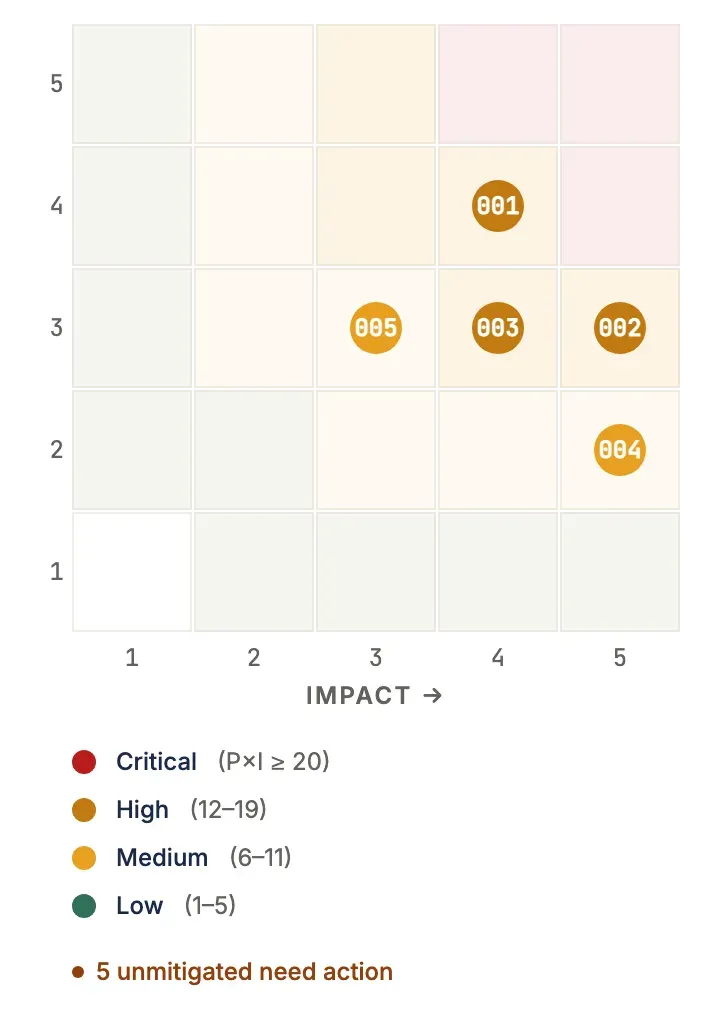
The risk matrix on the register view treats OPEN and MITIGATING as active risks. RESOLVED, ACCEPTED, and CLOSED risks are not counted as unmitigated (the Unmitigated filter and the “need action” callout skip them), but the register list shows every status by default. There is no separate closed toggle; use the All / High / Unmitigated / Mine filter to narrow the list.
Filtering and sorting
Section titled “Filtering and sorting”Above the risk table, a segment filter narrows the list to the slice that needs attention:
| Filter | Shows |
|---|---|
| All | Every risk (default) |
| High | Severity ≥ 12 (HIGH and CRITICAL) |
| Unmitigated | Risks still OPEN or MITIGATING — the live threats |
| Mine | Risks you own |
The segment filter composes with the exposure-matrix cell filter (clicking a P×I cell): both apply together, and each is shown as a removable token with a Clear all reset. The exposure matrix and the critical/high count chips always reflect the full risk set, not the filtered view.
The Severity column header sorts the table — click to cycle descending → ascending → back to the default order (most impactful first). Unmitigated risks also carry an always-on left-edge highlight so live threats stand out regardless of the active filter.
A Hide low severity toggle in the toolbar will also collapse LOW-severity risks (score 1–5) out of the table — a client-side declutter that composes with the segment and matrix-cell filters. Your choice is remembered in the browser, so the register opens the same way next time.
Response strategies
Section titled “Response strategies”Each risk can be assigned one response strategy:
| Strategy | Meaning |
|---|---|
| Avoid | Change the plan to eliminate the threat |
| Mitigate | Reduce probability or impact |
| Transfer | Shift the consequence to a third party (insurance, contract) |
| Accept | Consciously accept the potential impact |
Risk categories
Section titled “Risk categories”Risks can be tagged with a standard source category:
- Technical — technology, quality, complexity
- External — market, regulatory, vendor
- Organizational — resources, funding, prioritization
- Project Management — estimation, planning, communication
Linking risks to tasks
Section titled “Linking risks to tasks”A risk can be linked to up to 10 tasks in the same project to indicate which tasks are exposed to it, or which work mitigates it. The link is advisory: it does not affect the deterministic CPM dates, and — separately — it does not currently affect the Monte Carlo forecast either, so scoring, escalating, or resolving a risk never moves the P50/P80/P95 band. It is managed from both ends.
From the risk
Section titled “From the risk”The risk drawer has a Linked tasks section. In the read-only detail view it lists each linked task with its board status; selecting one opens that task in the app-wide task drawer so you can act on it. When you create or edit a risk, a task picker lets you attach or detach existing project tasks — search by name or ID, and remove a linked task with its chip’s ×. The picker enforces the same 10-task, same-project limit as the API.
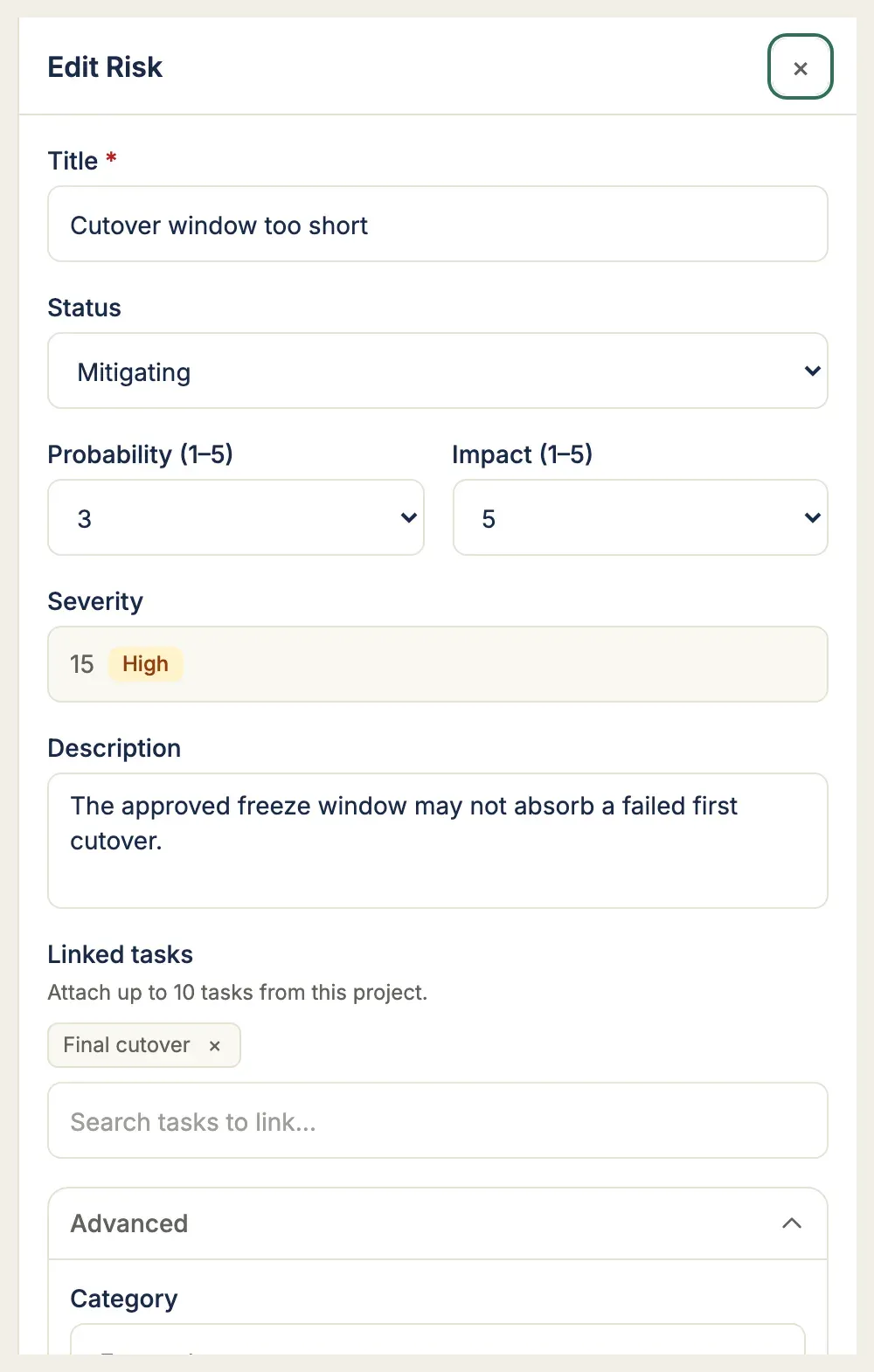
For the common case of a MITIGATING risk that has no tracked work yet, Create mitigation task (Member and above) creates a new task in one click: it is named from the risk (Mitigate: <risk title>), created unscheduled and not in any sprint, and assigned to no one — so it lands in the backlog for planning without injecting scope into an active sprint or notifying anyone. The new task is linked to the risk immediately and appears in the Linked tasks list.
Where the link surfaces
Section titled “Where the link surfaces”- Task detail drawer → Risks section shows linked risks with severity chips
- Board cards — the
linkedRisksCountandlinkedRisksMaxSeverityfields power the risk badge on board cards so teams can see at a glance which tasks are exposed
Short IDs
Section titled “Short IDs”Every risk receives a project-scoped short ID (e.g. R-00000003) that shares the same counter as tasks. Short IDs appear in the risk drawer header, comments, and audit logs.
Import and export
Section titled “Import and export”Export the full register to CSV from the Export CSV toolbar action. The file carries every column shown in the table: ID, title, status, category, response, probability, impact, severity, owner, mitigation due date, trigger, contingency, and description.
The risk register is the one surface where CSV export and import are true counterparts — see CSV import & export for the file format, the limits, and the Excel gotchas that apply to every TruePPM CSV.
The symmetric Import CSV action (Member and above) seeds or tops up a register from a spreadsheet — it sits next to Export CSV on the toolbar and on an empty register, so a new project can be populated from a file. Upload a CSV with a Title column; every other column is optional and matches the export header, so a file exported from one project imports cleanly into another. The ID and severity columns are ignored on import (severity is always derived, and IDs are assigned per project).
Import is partial by design — one valid row never blocks another:
- Valid rows are created; invalid rows are skipped and reported with the offending row number, field, and reason.
- Probability and impact must be whole numbers 1–5; a blank value defaults to 1.
- An unrecognized status, category, or response is coerced to the default and flagged as a warning rather than failing the row.
- The Owner column is matched against project members by email or username. A value matching no member leaves the risk unassigned and adds a warning — risks are never assigned to people outside the project.
A single import is capped at 2 MB and 500 rows. The result summary shows how many risks were imported and how many were skipped, with the full error and warning lists, so you can correct the source file and re-import.
Permissions
Section titled “Permissions”| Action | Minimum role |
|---|---|
| View risks | Viewer |
| Create / edit / delete risks | Member |
| Import risks from CSV | Member |
| Add risk comments | Member |
Real-time
Section titled “Real-time”Creating, updating, or deleting a risk broadcasts a risk_created / risk_updated / risk_deleted WebSocket event to all connected project members. Board cards and task drawers update without a page refresh. A CSV import emits a single batched risks_imported event after the rows commit, so collaborators see the whole import in one refresh rather than one event per row.