Plan Sprint dialog
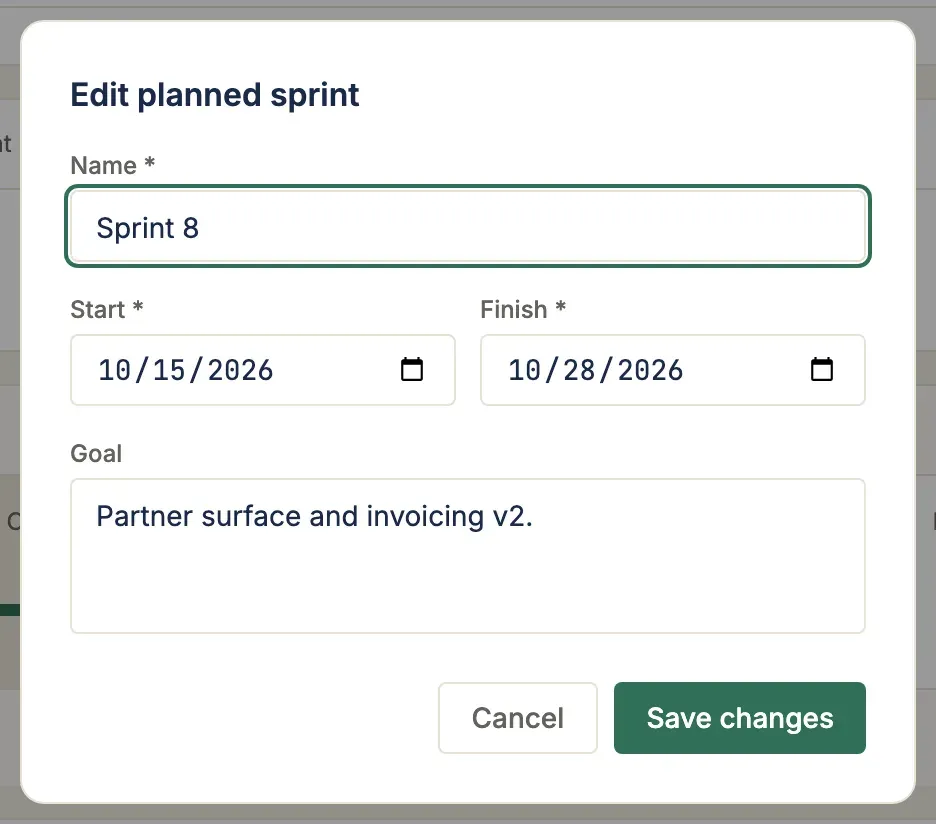
This is for a Scrum Master opening the next sprint once the current one closes. It’s the smallest credible sprint creation flow: the Plan next sprint button in the Sprints view header opens a single-step dialog where you enter a name, start and finish dates, and an optional goal.
Where this lives in the story
Section titled “Where this lives in the story”Step 5 (Sprint planning) of the hybrid PM flow. The action that opens the next iteration after the current one closes.
What you see
Section titled “What you see”- Name (required) —
Sprint N — short description - Start / Finish dates (required) — start defaults to today (or last planned sprint’s finish for next-sprint continuity); finish seeds 13 days later for a 2-week iteration
- Goal (optional) — the narrative the team commits to for the iteration
Inline validation on finish ≤ start. Submit creates the sprint in PLANNED state — activate it later from the timeline strip.
Where to find it in the app
Section titled “Where to find it in the app”- Trigger: Plan next sprint button in the Sprints workspace header
- Trigger:
+ Plan next sprintslot at the end of the Sprint Cadence timeline when no PLANNED sprint exists yet
API endpoints
Section titled “API endpoints”| Method | Endpoint | Purpose |
|---|---|---|
POST | /api/v1/projects/{id}/sprints/ | Create a planned sprint |
Why this is intentionally minimal
Section titled “Why this is intentionally minimal”The richer sprint planning wizard described in ADR-0037 (with milestone picker, capacity preflight, Jira ingest) lands later. This dialog ships the smallest credible flow that unblocks manual sprint creation today.
The capacity preflight runs at activate time, not creation, so a planning-time preflight is a separate scope.
Related ADRs
Section titled “Related ADRs”- ADR-0037 — Sprint model: data, API, and board integration
If you are…
Section titled “If you are…”- Alex — fires this dialog to open the next iteration. After closing a sprint, the “Plan next sprint” slot appears at the end of the timeline strip.
- Priya — rarely; Alex creates sprints. You’ll see the sprint appear in the timeline once they create it.
- Sarah — sprint start/finish dates here need to fit within the milestone window you set on the Schedule view.