Sample projects & JSON import/export
TruePPM uses one canonical JSON format both to seed (load ready-made starter data into) sample projects and to move whole programs in and out of an instance. A single seed document — a JSON file, either one TruePPM ships or one you export yourself — describes a program and all of its projects: tasks (with WBS paths and three-point estimates), dependencies, sprints, baselines, risks, resources, and memberships.
The format is v2 (the JSON Schema lives at
packages/api/src/trueppm_api/apps/projects/schemas/seed_v2.json, with the
design rationale in ADR-0114).
v2 is an additive superset of v1 (ADR-0109);
v1 files still load. The developer-facing
seed data schema reference explains the
format if you want to author your own sample.
The headline of v2 is that a sample imports as a program already in flight, not a snapshot. Dates are anchor-relative, so a freshly loaded demo always reads as current rather than aging into a fixed-date museum piece. And an event timeline is replayed with backdated history, so:
- tasks show dated status transitions, reassignments, and comments by named people in their History tab — including the occasional review bounce-back,
- closed sprints show real burndown curves, a velocity trend with a spread, and an honest goal verdict,
- mid-sprint scope changes and risk-status lifecycles are recorded as dated, attributed history, and
- completed work carries actuals you can compare against the baseline.
Load the demo data
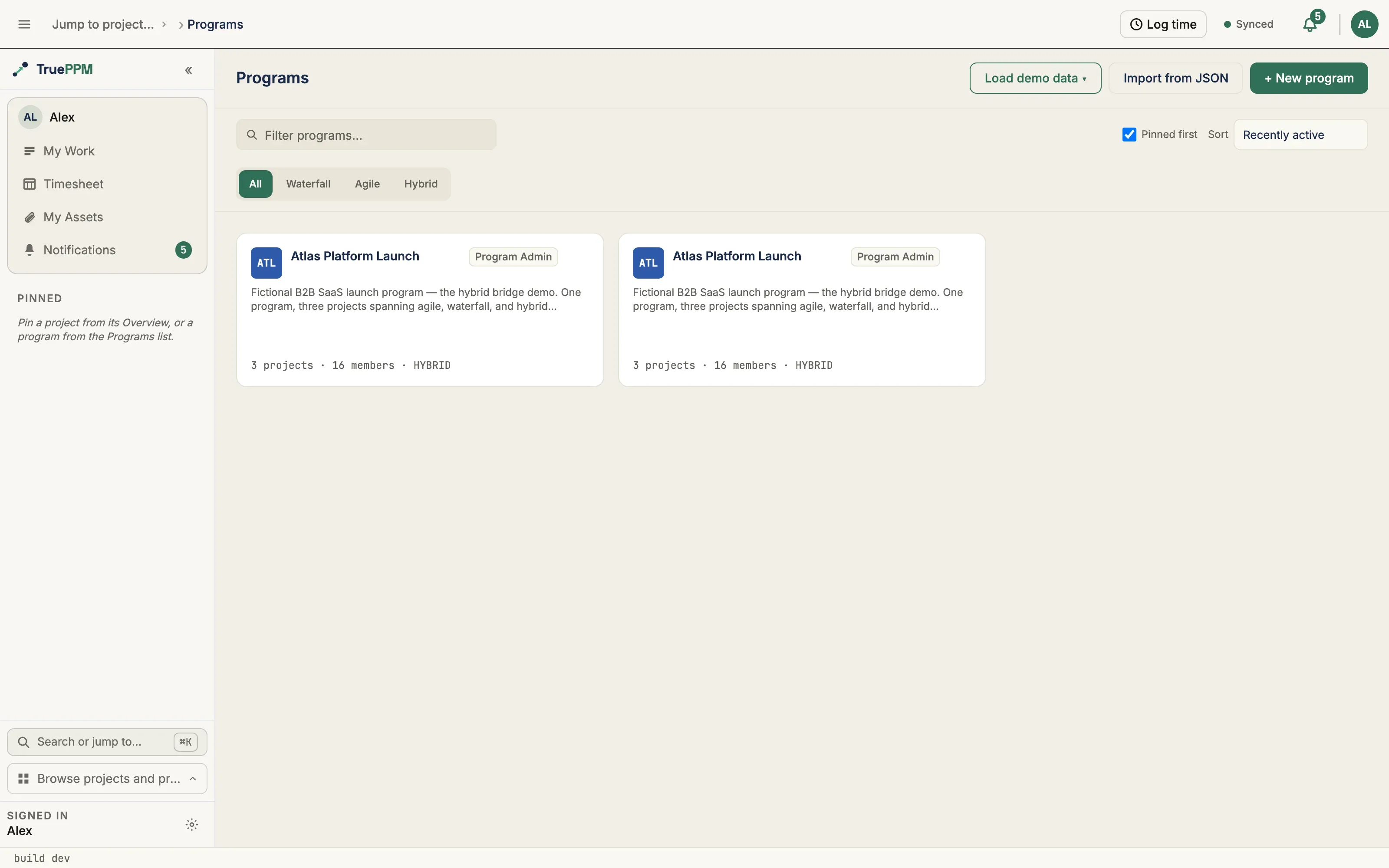
Section titled “Load the demo data”The fastest way to see TruePPM with real data is a bundled demo. On a fresh install the Programs page shows a Load demo data button — it offers a short menu of samples; pick one and you land on a fully populated program. A dismissable Start exploring guide appears on the landing page with a couple of suggested first steps for the sample you chose.
You can also load a demo straight from My Work when you have nothing assigned yet: that path drops you on a project Board with the demo’s first open sprint already assigned to you, so your own work is visible immediately rather than a PM-facing overview.
While the first schedule pass runs after a load, the Schedule view shows a non-blocking Recalculating… badge, so dashed dates read as “processing”, not “broken.” A this is sample data banner sits on the program, and a compact Demo project — part of … indicator appears on each project view so you always know you are in demo data. Remove sample data (program owner only) tears the whole demo down when you are ready to start your own work — it also removes any changes you made to the demo, but never touches your own projects.
Keeping a demo current
Section titled “Keeping a demo current”A sample’s dates are anchored on the day you load it, so it looks live immediately — and then it ages. Four weeks on, the sprint the board calls “Active” has finished, the burndown ends before today, and every project shows overdue work the demo never meant to have. If you install on Monday and demo the following month, that is what your audience sees.
Once a demo has drifted by a week or more, the sample banner offers Shift dates to today (program owner only). It moves every date in the demo forward — the plan, its sprints, the baselines, the activity history, and the forecast trend — and then recalculates the schedules. The banner reports how far things moved and how many records changed.
Three things worth knowing:
- Nothing is deleted. Any changes you made to the demo move forward with it, rather than being discarded. If you would rather start from a pristine demo, use Remove sample data and load it again.
- It moves in whole weeks. Dates are placed on working days deliberately — a sprint starts on a Monday because the sample means it to — so the shift rounds to the nearest week to keep every date on the weekday it was authored for. A demo can therefore sit up to three days off today, which is why the control only appears once a full week has drifted.
- Baseline variance is preserved exactly. Baselines move with the plan, so the planned-versus-actual story the sample was built to show is unchanged — you are not shown a fabricated slip.
Schedules recalculate in the background afterwards, so the Schedule view shows its Recalculating… badge for a few seconds.
A demo loaded before this feature shipped has no recorded anchor and cannot be shifted; the banner says so and points you at remove-and-reload instead.
Operators automating a long-lived demo instance can do the same thing from the command line:
python manage.py shift_sample_datesWhat each sample demonstrates
Section titled “What each sample demonstrates”Five samples shipped in 0.4. Every one exercises the five-role RBAC model (Owner / Admin / Scheduler / Member / Viewer).
The four methodology samples — Atlas, Aurora, Bayside, and Helios — each also carry realistic capacity profiles (full-time, part-time, and 10% advisors — not everyone is at 100%) and a non-default working calendar attached to at least one resource, so calendar-aware capacity is visible. 1.0 GA Launch is the odd one out by design: it runs a single standard calendar and a mostly full-time roster, because its story is what happens between projects rather than inside one.
Atlas Platform Launch — hybrid-large (the flagship)
Section titled “Atlas Platform Launch — hybrid-large (the flagship)”A fictional B2B SaaS launch: one program, three projects that span the methodology mix, 92 tasks, a 15-plus person resource roster across calendars, and a 20-risk register.
- Platform Core (agile) — sprints with a velocity history feeding a release forecast.
- Migration Tooling (waterfall) — a CPM-scheduled plan with three-point estimates and a captured baseline.
- GTM Readiness (hybrid) — gated launch planning beside an agile enablement lane running its own sprint cadence.
Look at first: the cross-project critical path — Platform Core gates Migration, which gates the public-launch milestone — and the Monte Carlo modal: several risks are schedule-driving, so toggling a high probability × impact risk visibly shifts the P80.
Personas: the program-level story — Alex Rivera (Owner, program manager) running related agile, waterfall, and hybrid projects at once, with Jordan Blake (Product Owner) owning Platform Core’s sprints and release forecast, Sam Okafor (Scheduler) driving the Migration Tooling CPM plan, and Priya Nair (Engineering Lead) spanning the build. Ada Boyega (Viewer) is the executive sponsor watching read-only. This is the bridge demo at program scale.
Aurora Mobile App — agile-only
Section titled “Aurora Mobile App — agile-only”A mobile product team running the sprint lifecycle: an epic-grouped backlog of user stories, a board, a multi-sprint velocity trend with a spread, and a lightweight 4-risk register.
Look at first: the burndown of the closed sprints and the velocity chart — this is the pure-scrum tour, with no CPM or estimates to distract.
Personas: the agile team — Sam Okafor (Scrum Master) running the sprint lifecycle, Priya Nair (Owner and Product Owner) owning the backlog and the velocity-based release forecast, and the engineers — Mei Tanaka, Diego Santos, and Nadia Hassan — working the board. No PM and no schedule: this is the surface those roles live on.
Bayside Civic Center — waterfall-only
Section titled “Bayside Civic Center — waterfall-only”A construction program of two phased projects — Sitework & Structure and Building & Fit-out — joined by hard cross-project dependencies: every interior task is gated on the structure passing framing inspection, including a negative-lag lead where electrical rough-in mobilizes three days before the inspection certificate. Between them the program exercises all four dependency types (FS / SS / FF / SF), three-point estimates, a 4-day concrete-crew calendar, and a 13-risk register spanning the full status lifecycle (permits, supply chain, weather, inspections). Its baseline story is a rebaseline: a Contract baseline captured at award, superseded by a change-order Rebaseline after the owner’s mezzanine change, with a residual weather slip drifting the current plan past even the rebaseline — and the fit-out project’s baseline reads the cross-project slip cascade from the structure.
Look at first: the program schedule’s cross-project critical path, and the baseline-vs-rebaseline-vs-current variance on the structure.
Personas: Sam Okafor (Owner, the program manager) — two waterfall projects, CPM with all four dependency types across the project boundary, a contract baseline and a change-order rebaseline to defend, and a risk register, with Raj Mehta (Scheduler) holding the plan and Diego Santos (Site Superintendent) on the ground. This is Sam’s home turf: no sprints, no backlog, just the schedule and what moves when a task slips — and how a structure slip cascades into fit-out.
1.0 GA Launch — program coordination
Section titled “1.0 GA Launch — program coordination”Four workstreams shipping one outcome: Platform Hardening & Scale (waterfall), SOC 2 Type II Readiness (waterfall), Security Pen-Test & Remediation (hybrid), and GA Marketing & Launch (agile) — 20 tasks, four gate milestones, a 9-risk register, and three cross-project dependencies, two of which land on the GA announcement itself. Where the other samples each demonstrate a methodology, this one demonstrates coordination: no single project’s plan contains the answer to “when do we ship?”
Two things are unique to it:
- The full 5-role matrix on one project. Security Pen-Test & Remediation seeds all five roles at once — Owner, Admin, Scheduler, Member, and Viewer — so the whole permission model is visible on a single screen instead of inferred across projects.
- A WIP-limited board. The same project opens on its Board with column limits set (In progress 3, Review 2), so the WIP-limit behavior has somewhere to show itself out of the box.
Look at first: the program schedule — the security sign-off and the platform GA-ready milestone both gate the GA announcement, so a slip in either moves the launch date. Then the people: six of the seven personas work in more than one workstream, which is load no single project’s plan can see.
Personas: Dana Okafor (Owner, the program manager) holds Admin on all four workstreams, while each workstream has its own owner — Malcolm Reed (platform), Bob Tran (SOC 2), Janus Vela (security), and Jane Castellano (launch). Several hold different roles in different places: Malcolm owns the platform stream but is Scheduler on security; Bob owns SOC 2 but is Viewer on security. Lena Fischer is the 60% part-timer split across two streams.
Helios CRM Replacement — hybrid-small
Section titled “Helios CRM Replacement — hybrid-small”A completed waterfall planning phase feeding an agile build phase, joined by a cross-phase dependency, with a 5-risk register that includes one realized risk with a captured impact.
Look at first: how the finished plan hands off to the live build sprints.
Personas: the hybrid bridge — Ivan Petrov (Solutions Architect) and Raj Mehta (Scheduler) carrying the completed waterfall planning phase across a cross-phase dependency into Jordan Blake’s (Owner and Product Owner) agile build sprints. The entry-level story for a PM and an agile team sharing one plan without maintaining two representations of the same work.
Loading from the command line
Section titled “Loading from the command line”docker compose exec api python manage.py load_sample_project # Atlas (default)docker compose exec api python manage.py load_sample_project --sample aurora-mobile-appdocker compose exec api python manage.py load_sample_project --sample bayside-civic-centerdocker compose exec api python manage.py load_sample_project --sample ga-launch # shipped in 0.4docker compose exec api python manage.py load_sample_project --sample helios-crm-replacementAdd --with-personas to any of these to give the sample’s persona accounts a
usable login password (namespaced <sample>-<name>, e.g. aurora-priya); the
command prints the usernames and the shared password after loading — demo in
local Docker dev with DEBUG on. Without the flag the personas are view-only.
See the evaluation guide for the persona
sign-in walkthrough.
Or over the API:
POST /api/v1/programs/load-sample/Any authenticated user may call it; the caller becomes the program owner. Loading a sample builds the whole program in one synchronous request, so it takes seconds and is capped at six loads per minute per account — set a generous client timeout, and do not poll it.
Import a seed file
Section titled “Import a seed file”From the web app
Section titled “From the web app”On the Programs page, choose Import from JSON and pick a seed file. The program is created and owned by you, and you land on it while the rest of the program builds in the background. If the file fails validation, the page lists each problem with its JSON path so you can fix the file and try again.
If a live program you own already uses this seed’s slug as its program code, the import stops and asks you to confirm the replacement before anything is touched. The prompt names the program and how many projects and tasks it holds, so you are consenting to a number and not just to a name.
You can also reach the same importer from the sidebar Import button (next to
New project): open it, choose the TruePPM format, and upload a .json
seed. Because a native TruePPM export is a whole program, this creates a program
(which may contain more than one project) and lands you on its overview — the
round-trip counterpart to Export to JSON. The same dialog imports MS Project
.xml files as a single project; pick the format that matches your file.
From the command line
Section titled “From the command line”docker compose exec api python manage.py import_seed path/to/seed.json [--owner <username>] [--create-users] [--no-replace]--ownersets the program owner (defaults to the first superuser).--create-userscreates the user accounts the seed references if they do not already exist. Use it for local demos; leave it off in production. The REST endpoint always runs with user creation off — an import never mints logins on a live instance.--no-replacerefuses the import when a live program the owner holds already uses this seed’s slug, instead of replacing it.
Re-importing the same file is idempotent: a program with the same slug is
replaced rather than duplicated. The command defaults to replacing, so
re-running the import_seed command above updates the program in place; pass
--no-replace when you want the command to stop rather than overwrite. The
REST endpoint defaults the other way — it refuses until you confirm.
What happens to the replaced program
Section titled “What happens to the replaced program”The replaced program’s projects move to project Trash, where each can be restored individually as a standalone project — the program shell itself is not recoverable, and a restored project does not return to it.
Offline and mobile clients receive real deletion tombstones for the removed rows, so a device that was disconnected during the re-import learns the old projects are gone instead of holding them indefinitely.
Bundled demo samples are the exception: reloading a sample (Load demo data,
POST /api/v1/programs/load-sample/, or load_sample_project) still deletes
the previous copy outright. Demo data is disposable by design, and a sample
reload never replaces a program that contains a real, non-sample project.
Over the API
Section titled “Over the API”POST /api/v1/programs/import/Send either a JSON body or a multipart/form-data upload with a file field.
Any authenticated user may import (they become the program owner). A validation
failure returns 400.
The import is asynchronous. A successful call returns 202 Accepted with
{"queued": true, "program_id": …, "import_request_id": …, "replaced_program_id": …}.
The program shell exists at program_id immediately — you can navigate to it
right away — while its projects and tasks are built by a background worker. Poll:
GET /api/v1/programs/{program_id}/import/jobs/{import_request_id}/until status is success or failed.
If a live program you own already holds the seed’s slug, the endpoint refuses
with 409 Conflict and code: "seed_replace_required", naming the program and
its project and task counts. Re-send the same request with replace=true to
confirm. To be certain you are replacing the program you were shown, also send
expected_program_id — if it no longer names the program that would actually be
replaced, the request is refused again with code: "seed_replace_mismatch"
rather than following the change.
See the API reference for the full request and response shapes.
Export a program
Section titled “Export a program”See Data export for the full operator reference. Three ways to export:
Web: open Program → Settings → General and choose Export to JSON.
Command line:
docker compose exec api python manage.py export_program <program-slug> --out program.jsonAPI:
GET /api/v1/programs/{id}/export/Any program member (Viewer role and above) may call it.
Round-trip guarantee
Section titled “Round-trip guarantee”Export emits a final-state seed: exporting a program, re-importing the result into a clean database, and exporting again produces a byte-identical file. Derived data — internal IDs, schedule (CPM) results, sync versions — is never written into a seed file; it is recomputed on import.