Sample project tour — history & offline demo
The bundled sample projects load as a program already in flight. From 0.4 the flagship Atlas Platform Launch sample also carries historical depth, so the differentiator surfaces render on day one instead of starting flat. This page is a guided tour of that history and a short go-offline demo you can run yourself.
Load the flagship sample first:
docker compose exec api python manage.py load_sample_project # Atlas Platform Launch (default)Or, in the app, open Programs → Load demo data → Atlas Platform Launch.
What the history shows
Section titled “What the history shows”Everything below is populated by the loader — no manual setup, no waiting for a week of real usage to accrue.
Forecast trend, on day one
Section titled “Forecast trend, on day one”Open Platform Core → Overview. The forecast-trend chart draws 60 days of history: the P50/P80/P95 band and the CPM (Critical Path Method) finish line drift to the right across the window while the committed date holds — the schedule slipping in slow motion. Because the commitment stays fixed as the forecast moves past it, the project’s total float crosses from positive into negative, so the “we are now behind” moment is visible in the trend, not just today’s number. Migration Tooling and GTM Readiness each carry their own 60-day trend with a different shape.
Sprint velocity with a shape
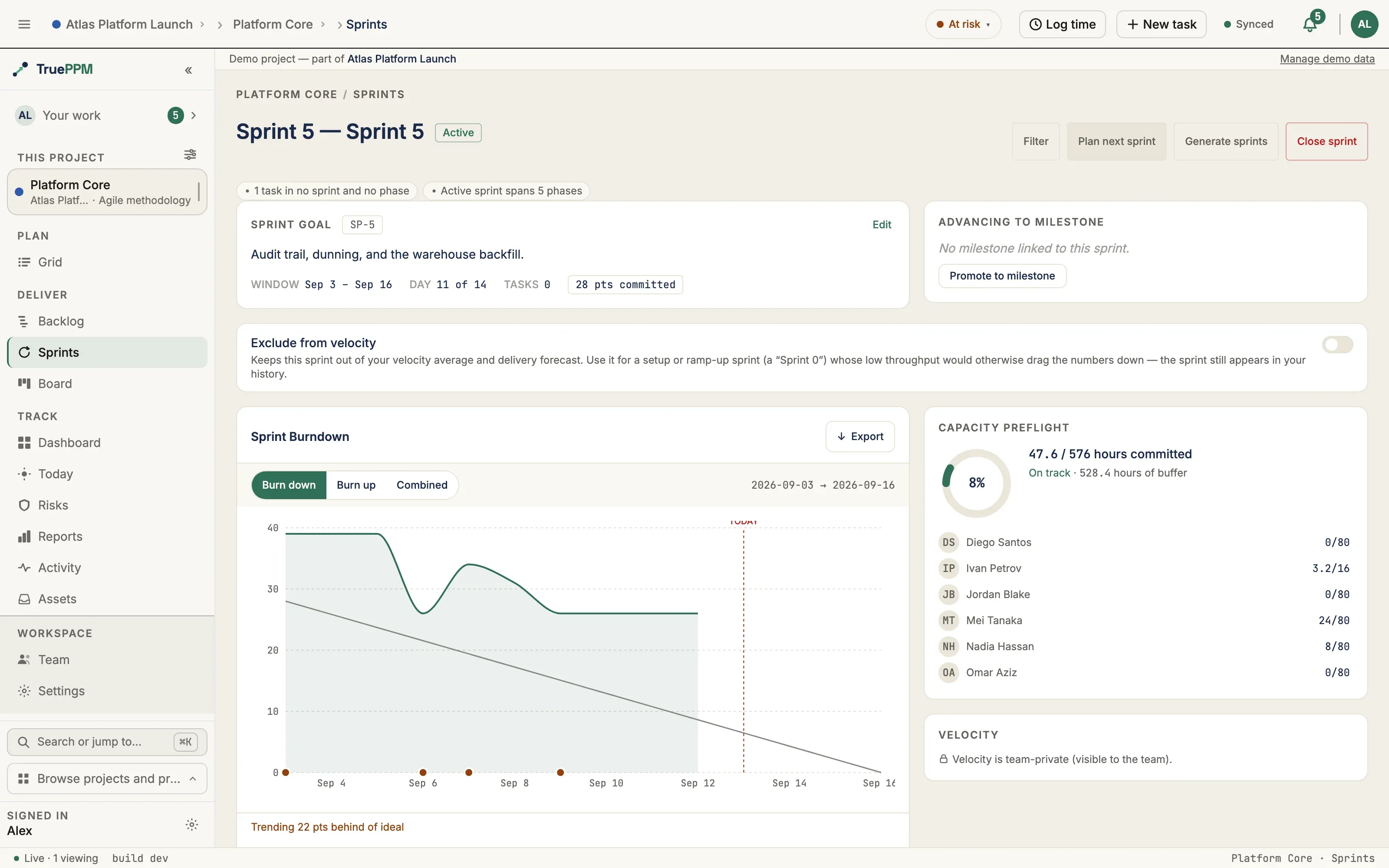
Section titled “Sprint velocity with a shape”Open Platform Core → the board / sprint history. Four closed sprints show a velocity curve that ramps up and then dips (28 → 31 → 26 → 34 points) rather than a flat line — with a real burndown per sprint, not a single fabricated number.
Baseline variance
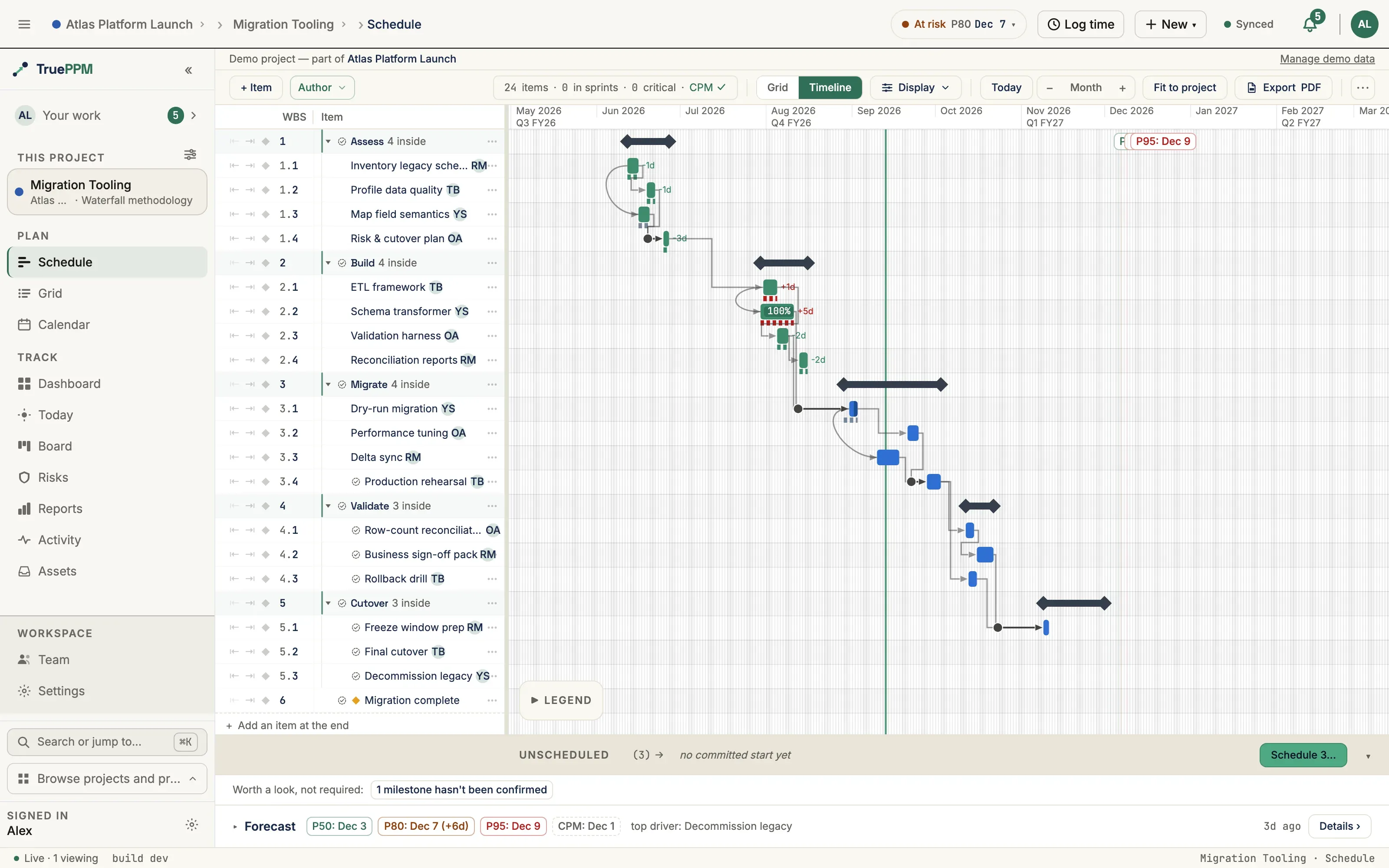
Section titled “Baseline variance”Migration Tooling carries a captured baseline from about two months ago. As the current schedule has drifted right, the baseline-vs-current variance is visible in the Schedule view — the gap between the plan you committed to and where the work actually landed.
Capacity reality (PTO)
Section titled “Capacity reality (PTO)”The sample seeds a few PTO ranges on its calendars — one spanning today, two in the past — so the capacity view reflects real time off rather than assuming everyone is available every working day. A PTO range also removes those days from schedule date math, so the plan respects them.
A commitment the dependencies can’t keep
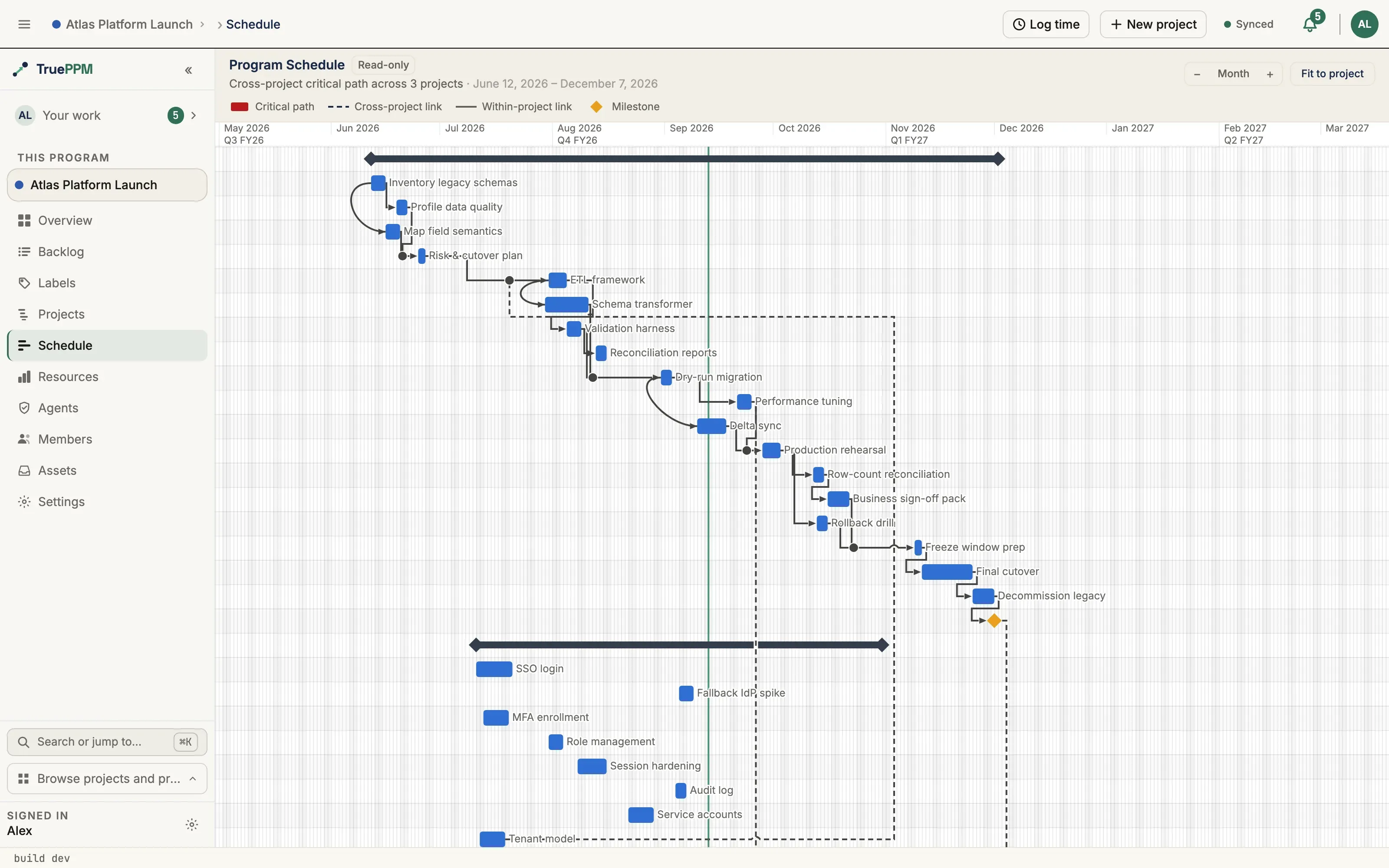
Section titled “A commitment the dependencies can’t keep”Platform Core’s active sprint carries a story (Tenant data cutover hook) committed to the sprint but gated on a task in another project — Migration Tooling’s performance-tuning work — that finishes after the sprint closes. Once the schedule recomputes across the two projects, the story’s earliest start is pushed past the sprint boundary, so the dependency-reality at-risk indicator flags it. This is the honest version of a commitment the plan cannot keep.
The go-offline demo
Section titled “The go-offline demo”This demo shows the calm offline state: writes you make with no connection are queued locally, a badge tells you how many are waiting, and they drain automatically when you reconnect — nothing is lost, nothing blocks you.
Run it against any loaded sample from a browser tab:
- Start online. Open a project Board and confirm the connection indicator shows you are connected.
- Go offline. In your browser or OS, disable the network (browser devtools → Network → Offline, or turn off Wi-Fi). The app stays usable — it does not throw you to an error screen.
- Make three writes. For example: move a card to another column, rename a task, and change a task’s assignee. Each one applies immediately in the UI.
- Watch the badge. The offline indicator shows 3 changes waiting to sync. Your edits are held in a local queue, not dropped.
- Reconnect. Re-enable the network. The queue drains automatically: the three writes replay to the server in order, the badge returns to a synced state, and any other connected client sees your changes arrive.
- Confirm. Reload the page. All three edits persisted — the offline queue was the source of truth until it synced.
Reset and reload
Section titled “Reset and reload”The loader is idempotent: re-running it replaces the sample rather than duplicating it, and the synthesized history is deterministic — a reloaded demo reproduces the same forecast trend, so a walkthrough you rehearse is the walkthrough your audience sees.
docker compose exec api python manage.py load_sample_project # replaces the existing Atlas sampleSee Sample projects & JSON import/export for the full list of samples and the seed format, and the Evaluation guide for a persona-by-persona walkthrough.